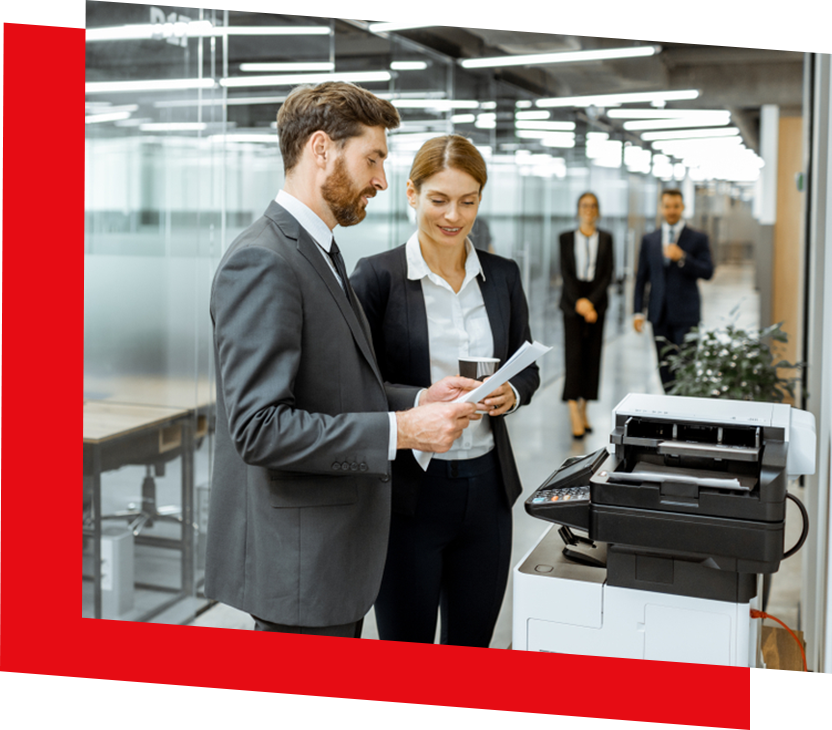

Energy-Efficient Printing: Why ENERGY STAR® Certification Matters
A multifunction printer can sit powered on throughout the workday even when nobody is actively printing. That makes energy use worth considering alongside familiar buying factors such as print speed, colour capability, scanning, paper handling, and workflow features.
ENERGY STAR® certification gives businesses a standardized benchmark for identifying qualifying imaging equipment that meets defined energy-efficiency requirements. The program covers printers and multifunction devices, among other imaging equipment, and evaluates products according to criteria suited to their type and operating characteristics.
At DOS Canada, we help businesses compare office equipment according to their actual workflows, productivity needs, and budgets. Energy performance can be another useful part of that decision.
What to Know About ENERGY STAR® Printers
ENERGY STAR printers aren't certified simply because a manufacturer describes them as efficient. Qualifying imaging equipment has to meet applicable ENERGY STAR product criteria, including requirements related to energy performance and power management.
For offices considering multifunction printers, certification provides one more way to compare devices before looking at the individual features that determine whether an MFP fits the workplace.
Understand What ENERGY STAR® Certification Means
ENERGY STAR establishes requirements for categories of imaging equipment that include printers and multifunction devices. The criteria account for differences in product type and use rather than treating every printer as though it operates in the same way.
That makes certification a useful comparison point when you're researching energy-efficient printers. It shouldn't be the only factor, however. A device still needs to suit your print volume, workflows, required functions, and available space.
Look Beyond Printing Speed and Output Quality
Print speed and output quality matter, but an office printer spends part of its day doing something other than producing pages. It may be ready for a job, sitting idle, or operating in a lower-power state.
Looking at those different operating periods provides a fuller picture of power consumption. When comparing MFPs, consider energy performance alongside the workload the device needs to handle rather than evaluating either factor in isolation.
Consider Power Use During Active and Low-Power Modes
Imaging equipment uses electricity in different operating states. ENERGY STAR criteria address both energy performance and power-management characteristics, including requirements intended to reduce energy use while equipment isn't actively working.
This can be particularly relevant in offices where an MFP remains powered on for long stretches between jobs. Keep appropriate sleep and other energy-saving settings enabled after installation rather than automatically changing them without considering their purpose. ENERGY STAR specifically recommends maintaining suitable sleep settings to support energy performance.
Understand Why Multifunction Printers Deserve Particular Attention
An MFP brings several document functions into one device. Depending on the model, that can include printing, copying, scanning, faxing, and other document-workflow capabilities.
Because one machine may handle several everyday office tasks, both functionality and energy performance deserve attention. ENERGY STAR notes that using one multifunction device can be more efficient than purchasing separate products for individual functions.
At DOS Canada, our multifunction printer collection includes office equipment from manufacturers such as Xerox, Sharp, and HP. We recommend equipment according to factors such as business size, workflows, usage requirements, and budget.
Compare Typical Electricity Consumption Where Relevant
Typical Electricity Consumption, or TEC, is used within ENERGY STAR criteria for certain office printers and multifunction devices. At a high level, TEC provides a standardized measure of energy consumption over a representative pattern of equipment use.
The ENERGY STAR product database displays TEC information for applicable certified MFPs, which can make model comparisons more useful.
Rather than treating TEC as a universal calculation for every printer type, check the manufacturer specifications and ENERGY STAR listing for the exact device you're considering.
Pay Attention to Built-In Power-Management Features
Power-management features allow compatible equipment to enter lower-energy modes during periods of inactivity. ENERGY STAR imaging-equipment criteria include requirements related to these capabilities.
After an MFP is installed, check that its relevant energy-saving settings are configured appropriately for your office. Changing or disabling those settings without considering actual use can undermine some of the benefits you considered when selecting the equipment.
Consider Automatic Duplexing and Paper Efficiency
Energy isn't the only resource involved in office printing. Paper consumption also deserves attention.
ENERGY STAR's imaging-equipment criteria include duplexing requirements for certain printers and multifunction devices, and its guidance encourages double-sided printing as a way to reduce paper consumption.
For an MFP, duplex printing can sit alongside broader copying, scanning, and workflow functions. Looking at both energy use and paper-management features gives businesses a more practical view of overall printing efficiency.
Match an ENERGY STAR® MFP to Your Actual Workflow
An efficiency label doesn't tell you how many pages your business prints, whether you need colour, how frequently staff scan documents, or what paper sizes and workflow functions matter.
Those questions should shape the equipment decision. An oversized device may provide capabilities you rarely use, while an undersized MFP may struggle to support normal workloads.
At DOS, we tailor office-equipment recommendations around factors such as company size, document volumes, workflow requirements, and budget rather than assuming one machine suits every organization.
Use Single-Function Printers Where Their Simpler Role Makes Sense
Not every workplace needs every device to be multifunctional. A dedicated printer can still make sense where the job is simply to print, and the existing office setup already handles scanning or copying elsewhere.
ENERGY STAR certification also applies to qualifying single-function printers. The choice between a dedicated printer and an MFP should therefore come down to workload, functionality, energy information, and the role that device will have in your existing print environment.
ENERGY STAR® vs. Overall Office Printing Efficiency
Choosing energy-efficient printers is only one part of running an efficient print environment. The number of devices in your fleet, how well each one matches its workload, staff printing habits, maintenance, and document workflows can all affect how effectively equipment is being used.
Our Managed Print Services include device monitoring, maintenance, supply monitoring and replenishment, and print-environment analysis. These services give businesses greater visibility into how their printers and MFPs are operating instead of treating each device as an isolated piece of equipment.
ENERGY STAR certification doesn't guarantee a predetermined reduction in total printing costs or environmental impact. It works best as one consideration within a broader equipment and print-management strategy.
What to Compare When Shopping for a Multifunction Printer
Start with what your office needs the device to accomplish. Compare print and scan requirements, expected volume, colour needs, paper handling, workflow functions, servicing requirements, available space, and energy performance.
When ENERGY STAR certification is an important purchasing requirement, the program's certified product database lets buyers search and compare qualifying imaging equipment.
DOS Canada carries office products that include MFPs from Xerox, Sharp, and HP. Rather than automatically selecting the machine with the longest feature list, focus on equipment appropriately matched to the work your team actually performs.
Choose ENERGY STAR Printers With the Right Office Support
ENERGY STAR printers provide a recognized energy-efficiency benchmark that businesses can consider alongside productivity, workflow, print volume, and equipment requirements. For offices relying heavily on printing, copying, and scanning, a properly selected multifunction printer can bring those needs together while allowing energy performance to remain part of the buying decision.
At DOS Canada, we offer a broad selection of multifunction printers, other office products, and ongoing office management services. We can help you compare equipment and printing solutions according to your office requirements rather than relying on certification or specifications alone.
Reach out to DOS Canada today at 1-877-467-4277, email us at info@doscanada.ca or click here to get in touch online.
Frequently Asked Questions
What Makes a Printer ENERGY STAR® Certified?
A printer must satisfy the ENERGY STAR requirements that apply to its imaging-equipment category. Depending on the product, the criteria address areas such as energy consumption, power-management capabilities, duplexing, and other applicable requirements.
Certification therefore isn't based on one feature or specification.
Are Multifunction Printers Eligible for ENERGY STAR® Certification?
Yes. Multifunction devices are included in ENERGY STAR's imaging-equipment program. Qualifying MFPs must meet the applicable requirements for their product type and operating characteristics.
Do ENERGY STAR® Printers Use Less Power?
ENERGY STAR certification is designed to identify imaging equipment that meets defined energy-efficiency requirements. ENERGY STAR states that certified imaging products are third-party certified for energy efficiency.
Actual power consumption still varies by model, configuration, and use. Review specifications for the exact printer or MFP you're comparing rather than assuming every certified product consumes the same amount of electricity.
Is an ENERGY STAR® Multifunction Printer Better Than a Single-Function Printer?
Not automatically. The better choice depends on what your office needs the equipment to do.
An MFP can consolidate functions such as printing, scanning, and copying, while a single-function printer may be appropriate when dedicated printing is all that's required. Compare workload, functions, existing equipment, and energy information before deciding.
Where Can I Find Multifunction Printers for My Office?
We offer multifunction printers and MFPs for businesses, including equipment from Xerox, Sharp, and HP.
You can also explore our broader product range and services. If you're comparing equipment, we can help you consider your print volume, workflows, required features, budget, and energy-efficiency priorities.
0 Comment