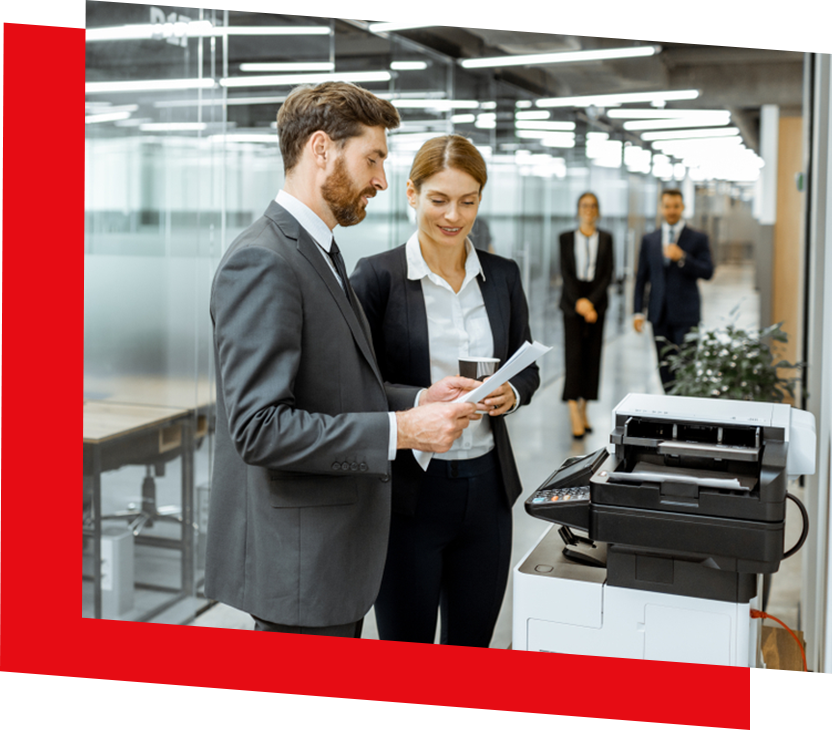

Secure and Sustainable Printing With Sharp Models: A Quick Guide
A shared office printer handles more than everyday paperwork. Employees may use it to print confidential contracts, copy client documents, scan financial records, and prepare administrative materials. These activities involve sensitive information while consuming paper, electricity, toner, and other resources.
Choosing office equipment therefore requires attention to both document security and environmental impact. Sharp multifunction printers offer features that can support secure printing and more sustainable printing practices. However, the benefits depend on the model selected, its configuration, and how employees use it.
Understanding these features can help businesses select equipment that suits their document workflows and operational priorities.
Why Sharp Multifunction Printers Are Central to Modern Office Printing
A multifunction printer (MFP) combines printing, copying, and scanning in one device. Certain models also support faxing, although availability depends on the equipment and configuration.
By handling several document-related tasks, Sharp MFPs can become central to an office's daily operations and its approach to managing printing equipment.
One Device for Multiple Document Workflows
A shared Sharp MFP allows employees to print contracts, copy office records, and scan physical documents into electronic files without switching between separate machines.
Combining these functions can reduce the need for individual printers, scanners, and copiers in some workplaces. However, businesses should consider employee access, document volume, and departmental requirements before consolidating equipment.
An office with several teams printing simultaneously may still benefit from multiple appropriately positioned devices.
Sharp Multifunction Models for Different Office Needs
Sharp offers multifunction printers for different office sizes and document-processing requirements.
The compact Sharp BPC131WD is a colour MFP offering printing, copying, network scanning, and automatic duplex printing. Its desktop design makes it an option for smaller workgroups with everyday document needs.
For busier offices, the Sharp BP71C36 Advanced Series colour MFP offers greater document-processing capacity, including a high-capacity document feeder and faster scanning capabilities.
Businesses can review the Sharp BP71C36 specifications when evaluating its functionality, security controls, and available configurations.
Security Features to Check on Sharp Multifunction Printers
Multifunction printers handle information at several points, from receiving a print job over a network to producing a physical document.
Security therefore involves more than preventing unauthorized printing. Businesses must also consider access to the device, documents waiting for collection, stored information, and protection against network or firmware-related threats.
User Authentication and Confidential Print Release
A common document-security concern arises when confidential paperwork sits unattended in a shared printer's output tray.
For example, an HR employee might print personnel records but become occupied before collecting them. Other employees passing the machine could potentially view or remove the documents.
Confidential print or hold-and-release functionality can address this situation. On supported Sharp MFPs, a print job can be retained until the authorized employee releases it at the device.
User authentication provides another layer of control. Depending on the model and configuration, employees may need to identify themselves before accessing the machine or performing particular operations.
These features serve different purposes. Authentication determines who can use designated device functions, while confidential print release controls when a particular document is produced.
The Sharp BP71C36 supports confidential printing and user authentication features, making it a relevant example for organizations evaluating these controls.
Effective protection still requires appropriate administrator settings, access permissions, and employee practices. No single device feature eliminates every possibility of confidential information being exposed.
Built-In Protection for the Device and Its Data
Printed documents are only one aspect of MFP security. Modern multifunction devices contain firmware, network interfaces, and storage components that also require protection.
Sharp's Advanced and Essentials Series includes model-dependent security technologies such as BIOS integrity checking, firmware attack prevention, intrusion detection, and data-protection functions.
These controls address different risks. Firmware integrity checks help identify unauthorized changes to device software, while encryption and access controls can protect information handled or retained by the equipment.
Sharp outlines these capabilities in its overview of Sharp's multifunction printer security and environmental features.
IT teams should confirm which protections are included with the selected model, which require configuration, and whether additional options are necessary. For example, antivirus integrations and certain security enhancements may require separate software or optional equipment.
Firmware maintenance, administrator privileges, network settings, and data handling when a device is retired also deserve attention.
Security features can strengthen document protection, but they do not automatically guarantee confidentiality, prevent every cyberattack, or establish regulatory compliance.
How Sharp MFPs Can Support More Sustainable Printing
Sustainable office printing involves managing the resources used throughout everyday document workflows.
Equipment efficiency and manufacturing materials are important considerations, but businesses also influence their environmental impact through print settings, scanning practices, and equipment management.
Automatic Duplexing, Scanning and Print Reduction
Automatic duplex printing allows suitable documents to be printed on both sides of a sheet. For multipage reports, contracts, and internal materials, this can reduce the amount of paper required.
Sharp multifunction printers also support electronic document workflows through scanning.
For example, an office updating an internal policy could scan a signed document and distribute an electronic version instead of producing individual paper copies for every employee.
Digital documents still require appropriate access permissions and information-security controls, particularly when they contain confidential material.
Everyday printing habits also affect resource consumption. Offices can configure double-sided printing as the default where appropriate, encourage employees to review documents before printing, and avoid producing duplicate copies unnecessarily.
Confidential print release may also reduce uncollected output when employees must actively release their documents. However, it does not prevent every unnecessary print job.
These practical measures help businesses approach sustainable printing as an ongoing operational practice rather than simply an equipment feature.
Energy Efficiency, Recycled Materials and Print Management
Energy consumption is another consideration when selecting office MFPs.
Features such as automatic sleep modes and power-management settings can reduce electricity use when a machine is inactive.
The ENERGY STAR imaging equipment guidance provides information about energy-efficiency criteria for printers and multifunction devices.
Sharp also describes the use of recycled plastic materials in selected office printers and MFPs. This concerns the materials used to manufacture the equipment, while energy efficiency relates to its operation. Both are relevant, but they measure different environmental characteristics.
Actual electricity consumption depends on the selected model, workload, and device settings.
Ongoing print management can provide additional insight into resource use.
At DOS Canada, our managed print services include device monitoring, usage reporting, maintenance, and supply management.
Print-volume data can help businesses identify underused devices, unnecessary printing, or opportunities to adjust toner replenishment.
These services provide information and operational support for managing print resources. Any resulting cost or waste reductions depend on the office environment and the improvements implemented.
When a Single-Function Sharp Printer May Be Enough
Although multifunction printers suit offices handling several document workflows, some teams only require dependable printing.
A single-function printer is designed primarily for document output rather than combining printing with scanning and copying.
For example, a department that already has access to suitable scanning equipment might need a dedicated printer for reports, correspondence, and everyday administrative documents. Purchasing another MFP may offer functions that the team rarely uses.
The Sharp BPC131PW is a compact colour print-only model available as a product reference in DOS Canada's catalogue. It supports automatic duplex printing, allowing employees to produce double-sided documents without manually turning pages.
According to Sharp's compact office printer range, the BPC131PW also incorporates security-related technologies, power-management features, and recycled materials.
Print-only devices still require appropriate network settings, document-handling practices, and supply management. They are not automatically more secure or environmentally efficient than multifunction models.
For offices regularly scanning, copying, and sharing documents, a Sharp MFP generally offers a broader set of functions within one machine.
Choose Sharp Printing Equipment That Fits Your Office
Protecting confidential information and managing printing resources require suitable equipment, appropriate settings, and consistent workplace practices.
Sharp multifunction printers are particularly relevant for businesses combining print, copy, and scan workflows while evaluating secure printing and environmental considerations.
At DOS Canada, we help businesses select equipment that aligns with their document-processing requirements, security priorities, and office workflows.
Explore our collection of multifunction printers, including the Sharp BPC131WD and Sharp BP71C36.
We also provide managed print services and flexible purchase and leasing options to support your equipment needs.
To discuss suitable models, security configurations, availability, or quotations, contact our sales team or call 1-877-467-4277.
Frequently Asked Questions
What Is Secure Printing on a Multifunction Printer?
Secure printing involves using device controls to protect confidential documents and restrict unauthorized access. Depending on the model, features may include user authentication, confidential print release, and access permissions. Effective protection also depends on correct configuration, network security, and employee practices rather than the multifunction printer's capabilities alone.
Can Sharp Multifunction Printers Help Reduce Office Paper Waste?
Yes. Automatic duplex printing can reduce paper consumption for suitable documents, while scanning allows some information to be distributed electronically. Configuring sensible print defaults and limiting unnecessary copies can also help. Actual reductions depend on existing printing habits and whether employees consistently use these features.
Is a Single-Function Printer More Energy Efficient Than an MFP?
Not necessarily. Energy efficiency depends on the specific printer's design, operating modes, speed, workload, and power-management settings. A single-function printer does not automatically consume less electricity than a multifunction model. Businesses should compare model-specific ENERGY STAR information and anticipated usage when evaluating equipment.
How Do Managed Print Services Support a More Efficient Office?
Managed print services help businesses monitor device performance, track usage, schedule maintenance, and manage supplies. DOS Canada's services include equipment monitoring, reporting, and toner replenishment. These capabilities provide insight into printing activity and potential improvements, although they do not guarantee specific reductions in energy consumption, waste, or operating costs.
0 Comment